
Review fuel, damage, and service charges
Published 2026-09-30 · Updated 2026-11-06
Turn return evidence, damage reviews, and completed service calls into charges you have checked before they reach an invoice.
Before you start.
- Owner or Dispatcher decides customer charges. Yard Manager and Service Manager can record damage facts.
- Return evidence was recorded when the equipment came back.
Steps.
Record evidence at return
Take me there →In the rental's Return dialog, select Full inspection. Enter Fuel level (%), tick Refueling required if it needs fuel, and note any damage under Damage or issue found?. The yard then records the actual gallons on the machine's Clean & Fuel card.
Decide on damage
Take me there →Use Open damage review on the inspection or work order, then open it from Damage reviews on the Work orders page. Enter Repair Cost, Vendor Expense, and notes. An Owner or Dispatcher sets Responsibility and Decision, enters the Customer Charge, and selects Resolve damage review. An approved or adjusted charge becomes one billable line on the rental.
Review fuel and service charges
Take me there →Open Billing, then More, then Service charges, and filter to Needs review. Use Set rate or Change rate on service items, and Edit billed gallons and rate on fuel rows. Tick Ready service charges from one rental and select Add to draft; for fuel, select Add to invoice. Or mark a charge non-billable.
warning
A finding, a fuel reading, or an operational waiver is not a customer charge. Only your decision here or on the damage review bills the customer.
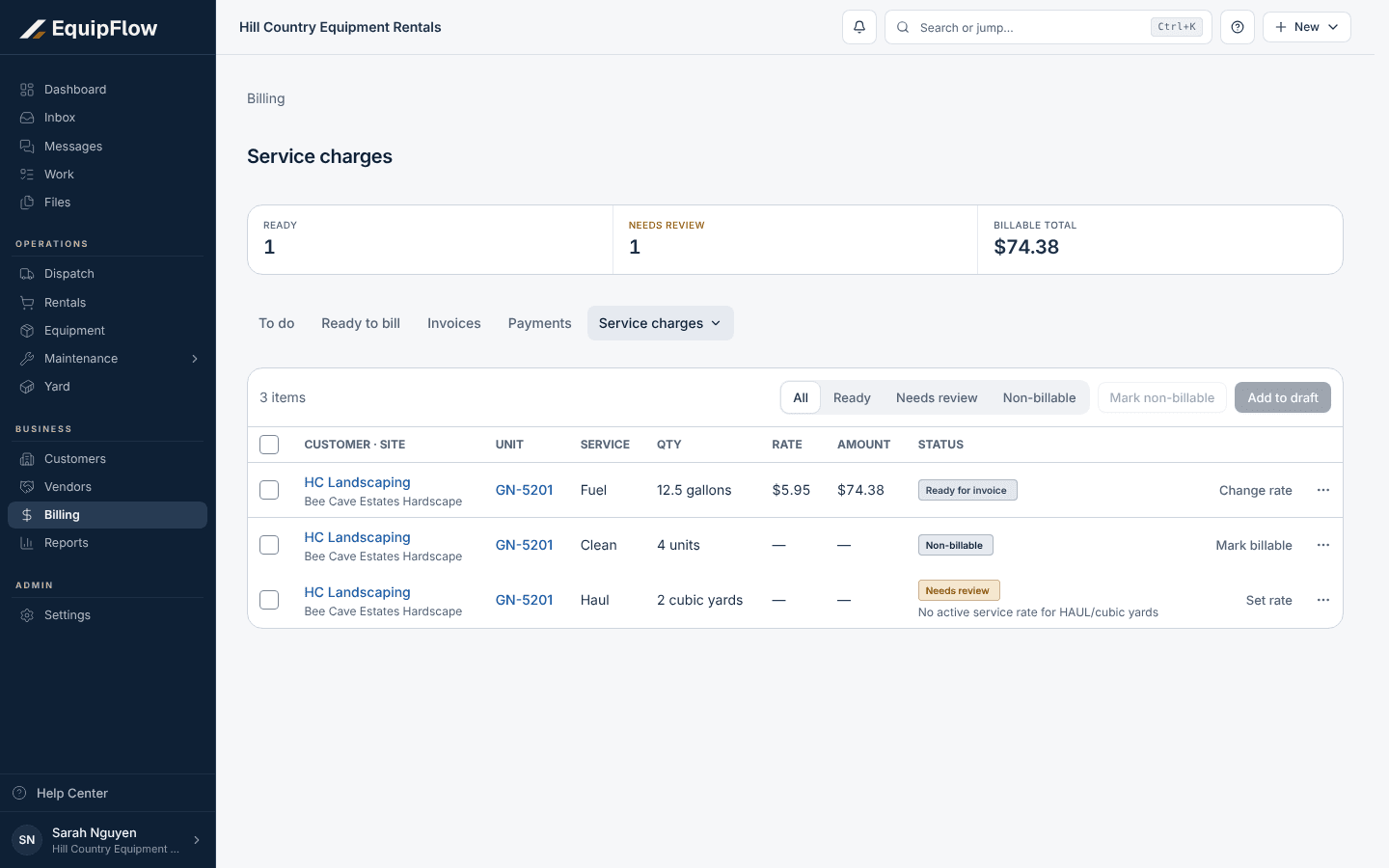
Service charges collects fuel and service items before they go on an invoice. Synthetic local example.
Open full-size screenshot (new tab)Confirm on the rental
Open the rental's Billing tab. Fuel and service charges shows each charge as Pending, Needs review, Ready for invoice, Included on invoice, or Non-billable. Review and send the invoice as usual.
Common problems and recovery.
A fuel row shows Rate not set or No customer amount.
Select Edit billed gallons and rate on that row, then select Add to invoice.
Add to draft is greyed out with "Only Ready charges can be added to a draft" or "Selected items must belong to the same rental".
Set the missing rate first, and select charges from one rental at a time.
The rental shows a fuel charge with "Gallons not yet measured", but the Yard card only says Ready.
The machine was made ready to rent at return, so the yard has no place to enter gallons. Contact EquipFlow support, and don't bill the fuel by hand until it is resolved.
The yard corrected the fuel evidence after the machine was ready.
The correction reopens the fuel charge for review. Check the new gallons on Service charges before invoicing.
Continue in EquipFlow.
Open the product to do the work, or contact support if the saved information does not match what this article describes.
Last reviewed 2026-11-06 against EquipFlow product commit a5b344000.