
Create and send an invoice
Published 2026-07-11 · Updated 2026-09-30
Create invoices as drafts, review and approve them, then send each invoice separately and verify its email outcome.
Before you start.
- Sign in as Owner or Dispatcher.
- Have billable dates, quantities, agreed rates, a resolved tax rate, and the intended billing period.
Steps.
Open Ready to draft
Take me there →Open Billing, then Ready to draft. Review eligible rental periods and existing coverage. For one rental, use its Create draft action when offered; for several periods, use the batch guide.
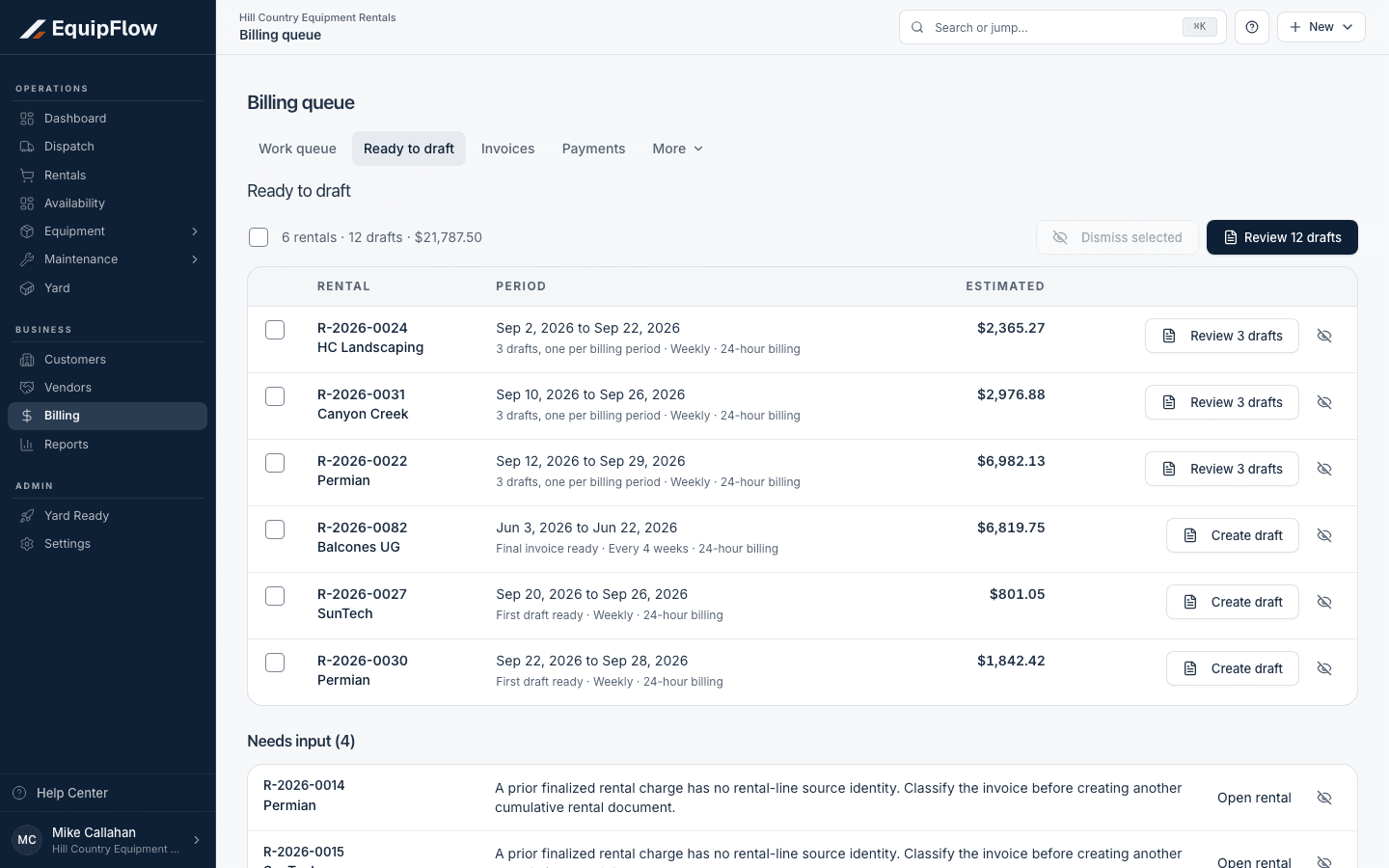
Ready to draft separates reviewable periods from rentals that need input. Synthetic local example.
Open full-size screenshot (new tab)Create and review the draft
Review dates, quantities, rates, fees, tax, due date, and previous billing. Resolve missing facts or overlapping coverage before creating a replacement. Open the invoice preview and check the customer document.
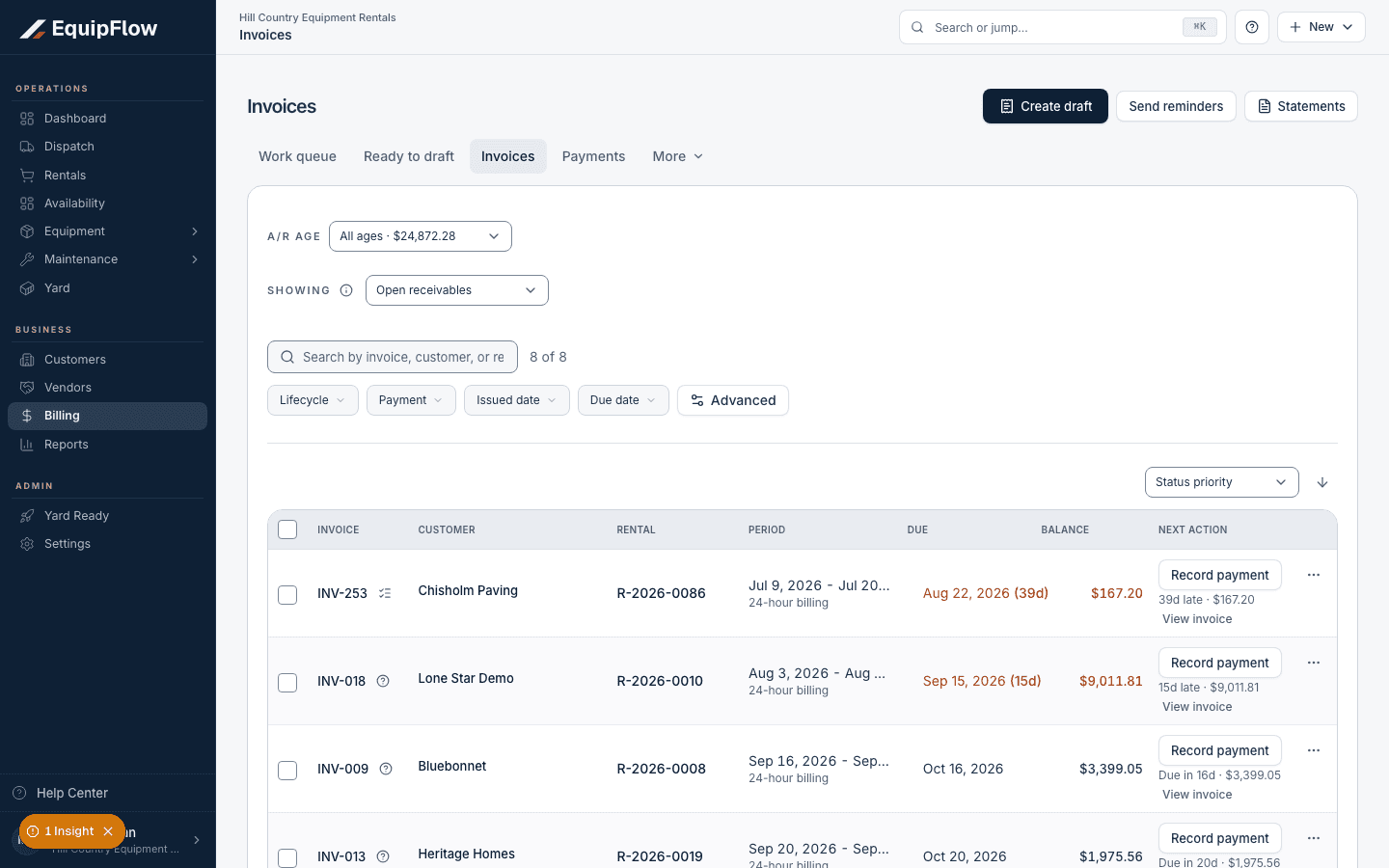
Invoices shows issued documents, balances, and collection actions. Synthetic local example.
Open full-size screenshot (new tab)Approve the invoice
Use Review invoice and Approve invoice in the rental or Billing Run draft list. Approval finalizes the reviewed invoice. Changed or held drafts need review before approval.
warning
Draft preparation and human approval do not send email, collect money, or automatically post accounting records.
Send and verify delivery
Take me there →Use Send on the approved invoice, check recipients and customer-facing email, then choose Send invoice. Read the email outcome. A test email is a preview, and recording a sent status is not proof of customer delivery.
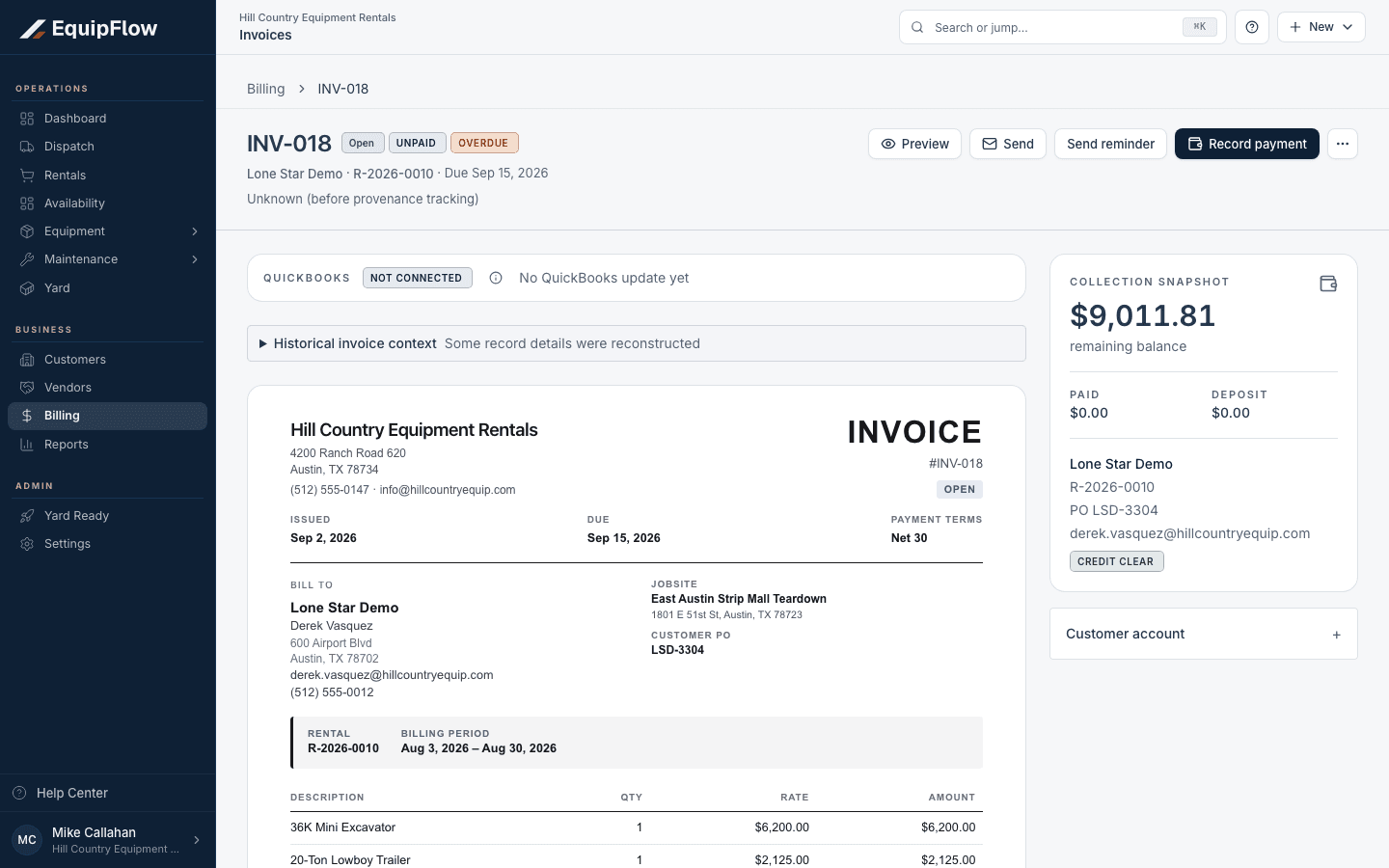
An issued invoice offers Send separately from Record payment; QuickBooks is not connected in this example. Synthetic local example.
Open full-size screenshot (new tab)
Common problems and recovery.
There is nothing to invoice.
Check real possession or an authorized billable-before-possession exception, cutoff, quantity, rates, non-zero charges, and existing coverage.
Approval or send warns that terms changed.
Review the saved draft against the new billing cycle or rates. In a Billing Run, use Recalculate remaining drafts for eligible untouched drafts; edited or held drafts need review first. If deletion is needed, ask an Owner to use Delete invoice on an eligible working draft. Check remaining coverage before creating a replacement; do not approve the stale total without checking it.
The email outcome is unknown.
Review delivery history and the displayed recovery before resending. Avoid creating another invoice for the same work.
Related Help articles.
Continue in EquipFlow.
Open the product to do the work, or contact support if the saved information does not match what this article describes.
Last reviewed 2026-09-30 against EquipFlow product commit c0ec0c7b7.