
Open, work, and complete a work order
Published 2026-11-06 · Updated 2026-11-06
Log a repair against a machine, record the time and parts, and complete it so the machine can rent again.
Before you start.
- Owner, Dispatcher, Yard Manager, Service Manager, and Service Technician can open and work work orders. Service Technicians do not see costs or hand work to others.
Steps.
Open the work order
Take me there →Open Maintenance, then Work orders, and select New work order. Choose the Equipment, describe What's wrong, and set the Priority. Under Can it still rent?, choose Down to keep it off rentals, Soft down to allow it out only with an override, or Still rentable. Select Create work order.
Send to service on the Yard board opens one for you.
Record the time
On the work order, select Clock on when you start and Clock off when you stop; clocking on to another job stops the first clock. Use Add time to enter hours by hand. Select Mark blocked while you wait on something.
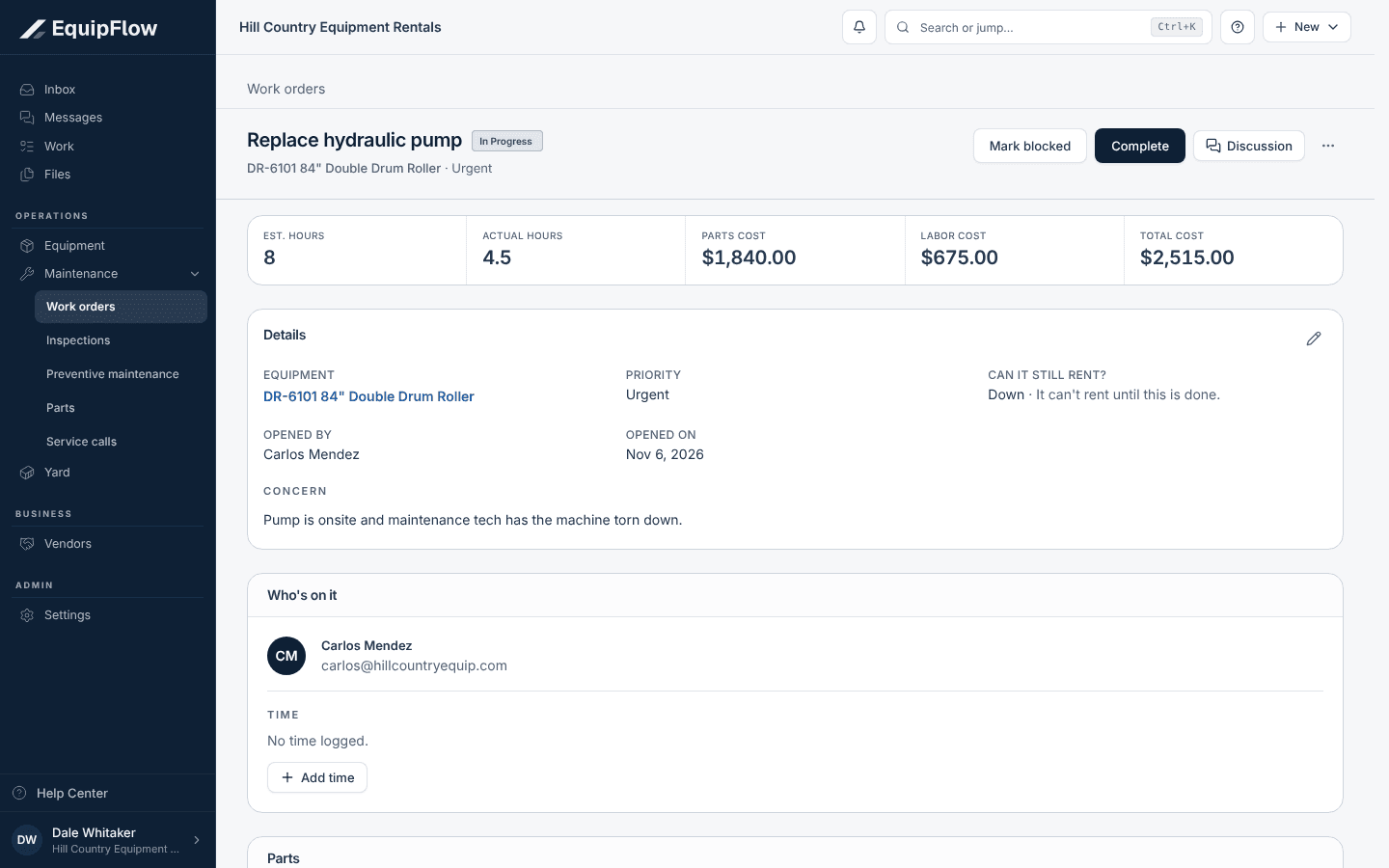
A work order shows who is on it, the time logged and what it costs. Synthetic local example.
Open full-size screenshot (new tab)Add the parts used
Select Add part, pick the part from your list or type its name, and enter the Quantity and Unit cost. A part from the list comes off the shelf count. Owner, Dispatcher, Yard Manager, or Service Manager keeps the list on Maintenance, then Parts, with Receive and Count.
Complete it
Select Complete. Enter the Correction and Cause, check the hours and costs shown, and select Mark done. The machine goes back to available unless other open work still holds it. If someone else set it soft down, answer whether this job fixed it.
Common problems and recovery.
Creating the work order says Say what's wrong or Pick the equipment.
Fill in What's wrong and choose the Equipment, then select Create work order.
The time section says Ask your service manager to set the shop rate.
An Owner or Service Manager sets the shop labor rate on Maintenance, then Parts.
The machine is still unavailable after Mark done.
Another open Down or Soft down work order, a required inspection, or a soft down you chose to keep still holds it. Check the unit's open work and the Yard board.
A work order was completed by mistake.
Open it and select Reopen.
Continue in EquipFlow.
Open the product to do the work, or contact support if the saved information does not match what this article describes.
Last reviewed 2026-11-06 against EquipFlow product commit a5b344000.