
Return, inspect, and make equipment rent-ready
Published 2026-07-11 · Updated 2026-09-30
Receive the exact equipment, inspect its condition, and resolve cleaning, fuel, damage, and service before marking it ready.
Before you start.
- Identify the exact rental equipment and where it physically arrived.
- Owner, Dispatcher, or Yard Manager can work Yard and inspection records.
Steps.
Record physical receipt
Take me there →For driver collections, open Yard and use Receive in Yard for the correct machine and destination. For customer drop-off, use the rental’s counter check-in. Check unit numbers and record the actual arrival.
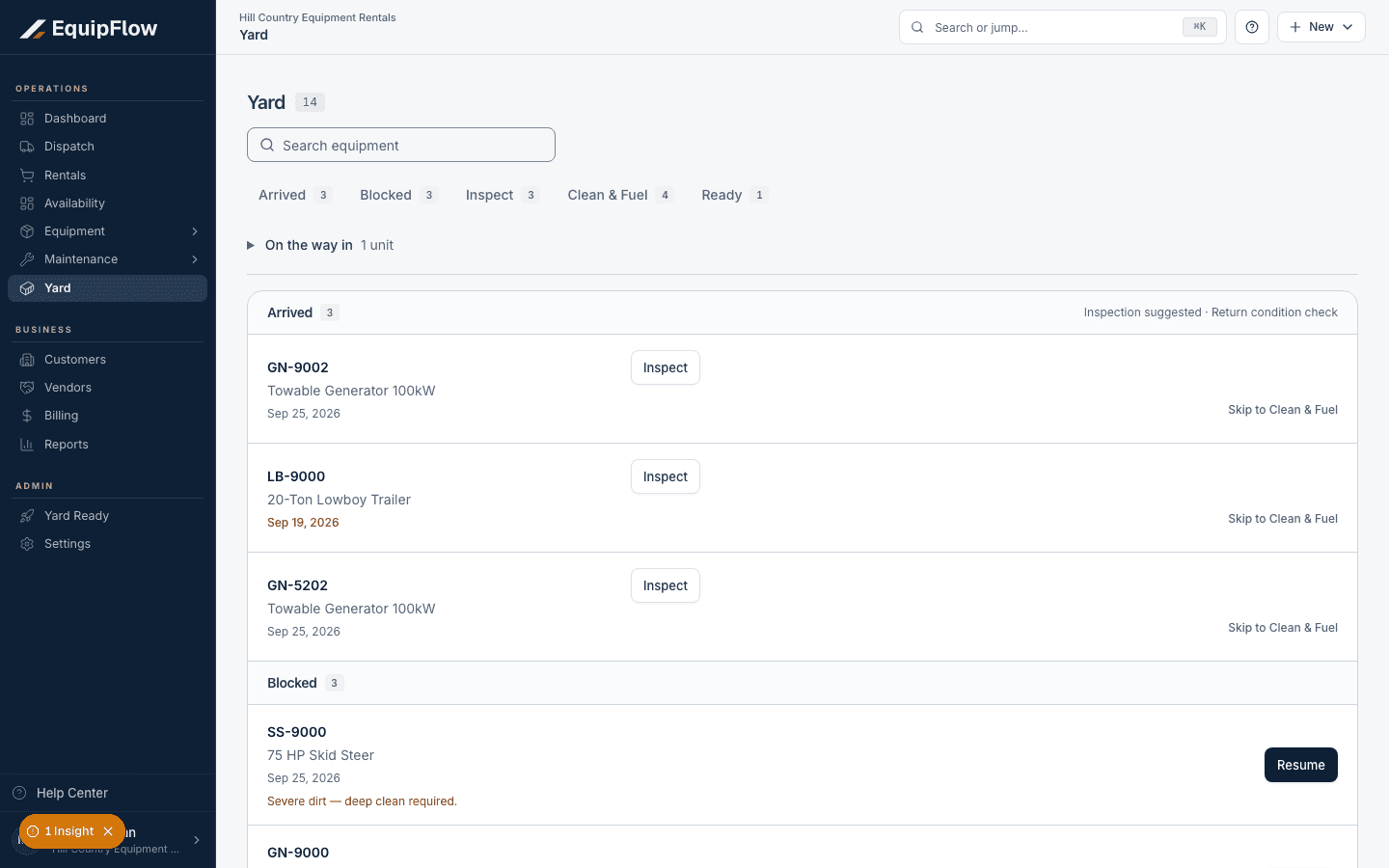
Yard separates Arrived, Blocked, Inspect, Clean & Fuel, and Ready. Synthetic local example.
Open full-size screenshot (new tab)Inspect and record condition
Start or resume the matching inspection. Complete required answers, notes, photos, and signatures. Record damage, return meter, and fuel evidence accurately. Follow flagged findings into the displayed review or work order.
Finish cleaning, fuel, and service
Work the Yard turn through Inspect and Clean & Fuel. Resolve service blockers. When fuel recovery is required, enter Actual gallons and use Record Fuel & Mark Ready, or an allowed Operational Waiver with the truthful reason.
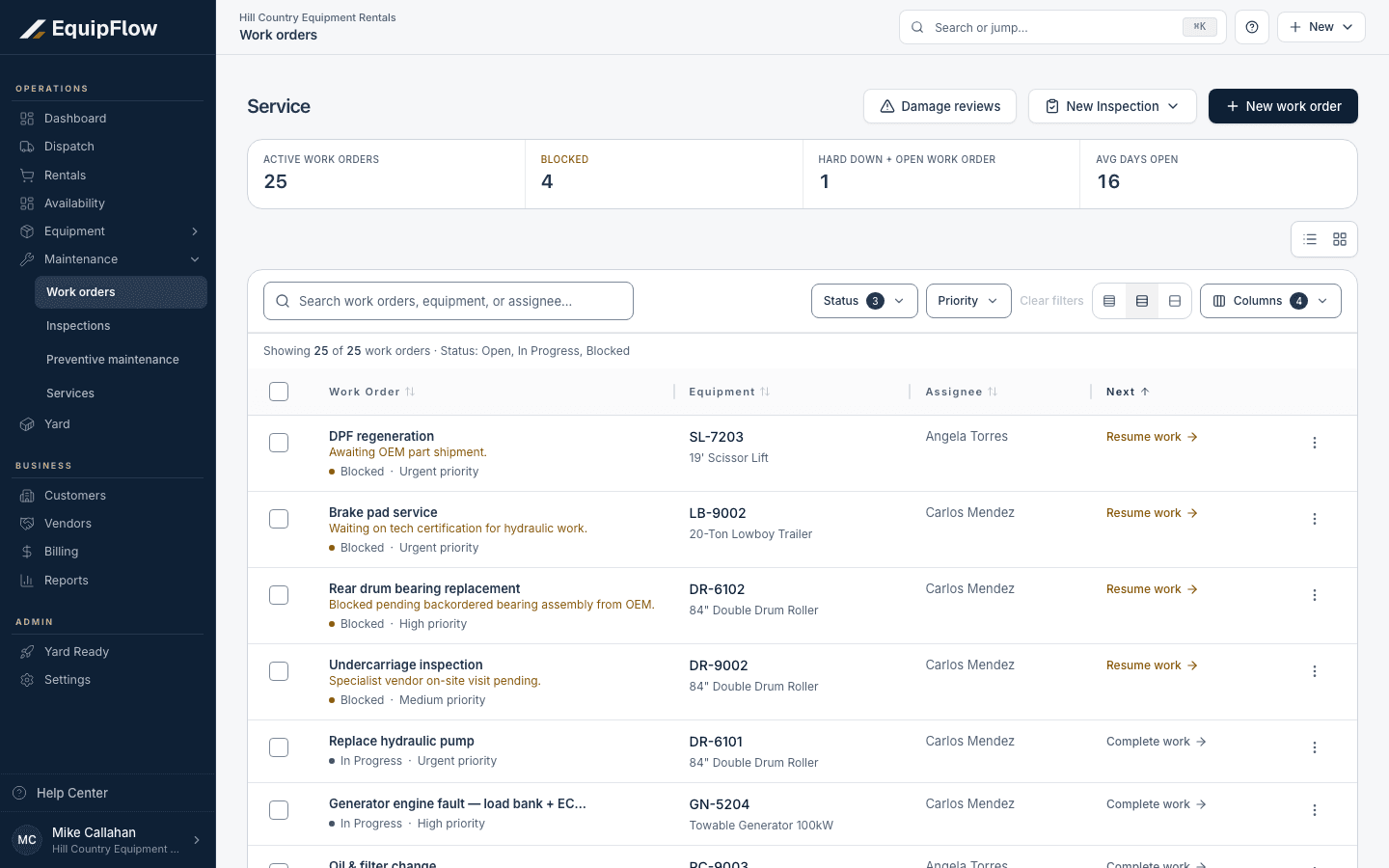
Service shows unresolved work orders and equipment blockers. Synthetic local example.
Open full-size screenshot (new tab)Verify ready and close separately
Use Mark Complete when requirements are satisfied. If a skipped inspection needs waiver, complete the checklist or use the offered audited waiver. Check that the card shows Ready and the unit’s location and availability are correct.
warning
Inspection completion alone does not guarantee Ready. Physical return does not automatically close the rental or refund, credit, or invoice the customer.
Common problems and recovery.
No matching checklist is available.
Ask Owner, Dispatcher, or Yard Manager to check templates and category settings. Only Owner changes the global inspection policy.
The unit stays blocked.
Read the remaining fuel, damage, inspection, service, or certification blocker. Finish it in the owning record.
The machine is back but charges still run.
Check the accepted off-rent cutoff on the rental. Do not assume the physical receipt backdates the customer’s call-off.
Continue in EquipFlow.
Open the product to do the work, or contact support if the saved information does not match what this article describes.
Last reviewed 2026-09-30 against EquipFlow product commit c0ec0c7b7.