
Mark equipment off rent and schedule pickup
Published 2026-07-11 · Updated 2026-09-30
Use Stop rental charges to record an exact cutoff for selected equipment or quantity, then arrange recovery separately.
Before you start.
- Have an active rental, the customer request, and the intended cutoff time.
- Check which units or quantities the customer is stopping. Dispatch planning needs an operational role.
Steps.
Stop rental charges at the right time
Take me there →Open the rental and choose Stop rental charges. Enter When rent stops using the displayed company timezone. Select the exact equipment or quantity; confirm the selected scope before saving.
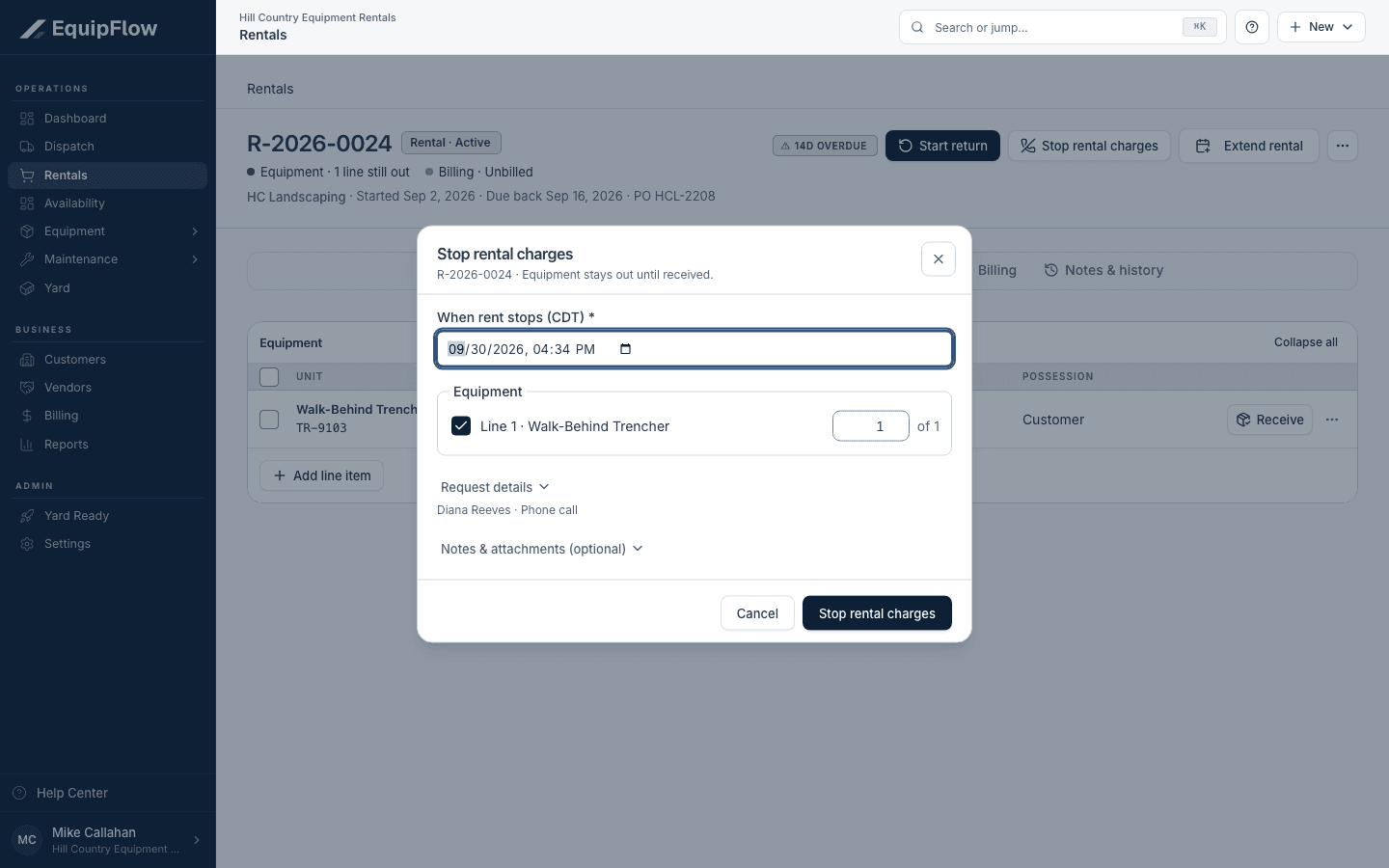
Stop rental charges records an exact local cutoff and selected equipment quantity; receipt remains separate. Synthetic local example.
Open full-size screenshot (new tab)Record the request evidence
Check customer contact, contact method, and When the request arrived. Add useful notes or attachments. The request arrival time and billing cutoff are different facts; record each accurately.
Arrange the pickup
Take me there →An Owner, Dispatcher, or Yard Manager opens or adds the pickup job. Arrange trip with the selected equipment, destination yard, time, and hauler. A quantity-only cutoff is not proof of which machines were collected.
Verify the remaining work
Check the saved cutoff and remaining on-rent equipment. After pickup, receive the equipment and finish inspection/readiness. Close the rental explicitly when all equipment is resolved.
warning
Stopping charges does not record pickup, physical return, readiness, or invoice delivery. Equipment may be off-rent while still at the customer site.
Common problems and recovery.
Only part of the rental is coming back.
Select only the affected units or quantity. Leave the rest on rent and verify the remaining count after saving.
The wrong cutoff was recorded.
Use the offered correction for the affected equipment or call-off confirmation. Review resulting billing differences; finalized invoices are preserved.
The unit is still unavailable after call-off.
Track pickup, yard receipt, inspection, fuel, cleaning, and service separately.
Continue in EquipFlow.
Open the product to do the work, or contact support if the saved information does not match what this article describes.
Last reviewed 2026-09-30 against EquipFlow product commit c0ec0c7b7.