
Configure inspections and readiness
Published 2026-09-30 · Updated 2026-09-30
Create checklists, set before-handover and after-return policies, and understand what must clear before equipment is ready.
Before you start.
- Owner, Dispatcher, or Yard Manager manages checklist templates.
- Owner controls the global inspection policy.
Steps.
Create or edit the checklist
Take me there →Open inspection templates and choose New checklist. Set the name, category/type and scope. Add fields, Require answer, Require notes, or Require photo as appropriate. Save with Create checklist or Save checklist.
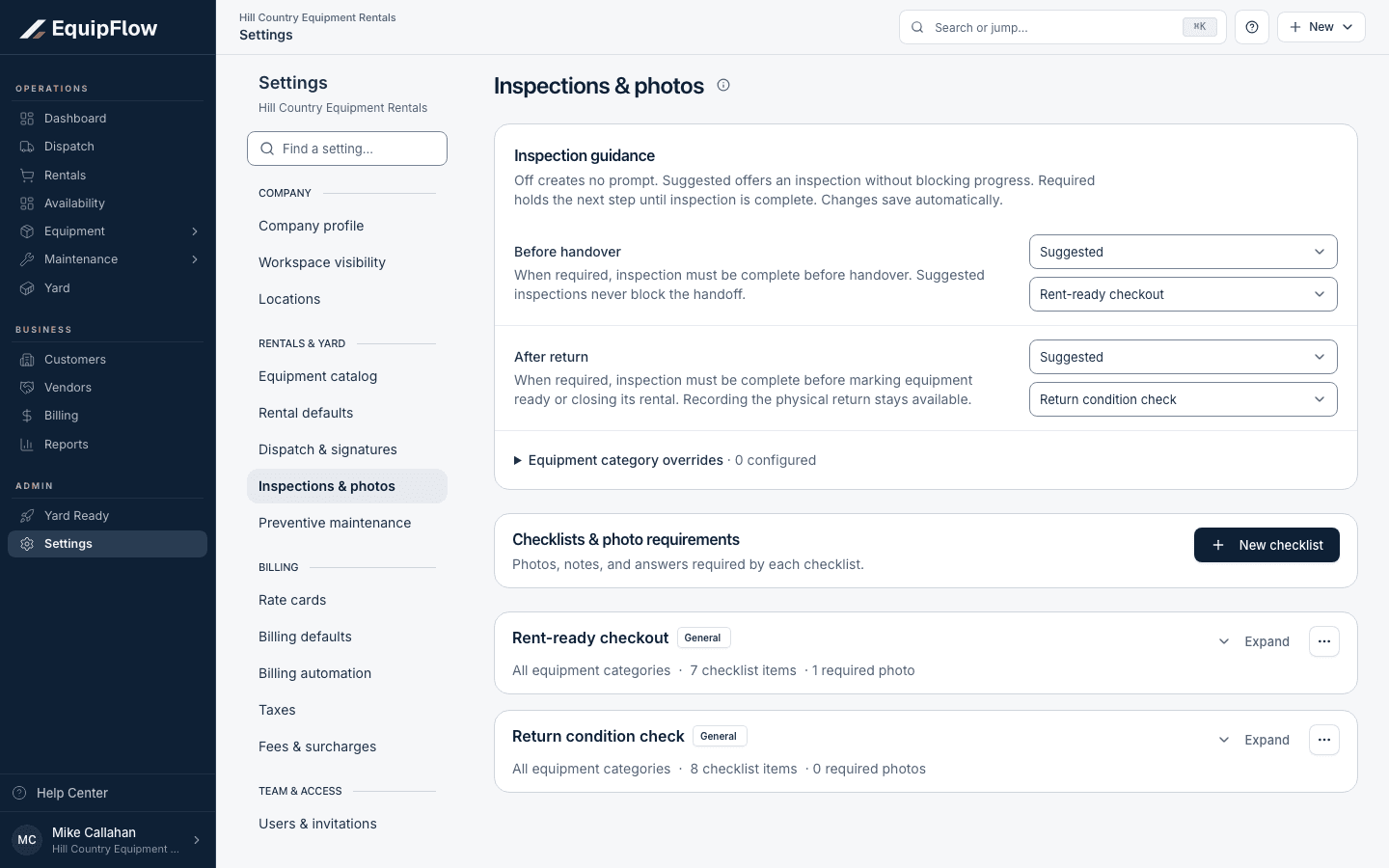
Inspection guidance separates before-handover and after-return policies from checklists and photo requirements. Synthetic local example.
Open full-size screenshot (new tab)Set when inspection is required
Review Before handover and After return. Off gives no prompt; Suggested offers inspection without blocking progress; Required holds the next step until completion. Owner sets inspection policy modes, including category overrides. Checklist managers can select forms; category settings can inherit Use yard policy and Use yard form.
Check the equipment’s remaining readiness work
Open the relevant inspection or Yard turn and follow required fields and displayed blockers. A completed checklist clears inspection work; cleaning, fuel, damage, service, and final readiness may still need attention.
warning
Do not switch off a required policy just to clear a stuck machine. Use an offered audited waiver only with the actual reason and appropriate role.
Common problems and recovery.
The wrong checklist is suggested.
Check its inspection type, category scope, selected form, and category inheritance.
The inspection is complete but the unit is not Ready.
Read the Yard card and service blockers. Resolve fuel, cleaning, damage follow-up, and final certification.
Continue in EquipFlow.
Open the product to do the work, or contact support if the saved information does not match what this article describes.
Last reviewed 2026-09-30 against EquipFlow product commit c0ec0c7b7.