
Create and confirm a rental
Published 2026-07-11 · Updated 2026-09-30
Create or convert a rental, confirm its dates and rates, then record the real delivery or counter handover that starts possession.
Before you start.
- Have the customer, site, classes, quantities, dates, and agreed rates.
Steps.
Create or convert the rental
Take me there →Open Rentals to create a rental, or convert an accepted quote. Check the resulting record before adding another rental. Enter dates or Open-ended, lines, quantities, and logistics.
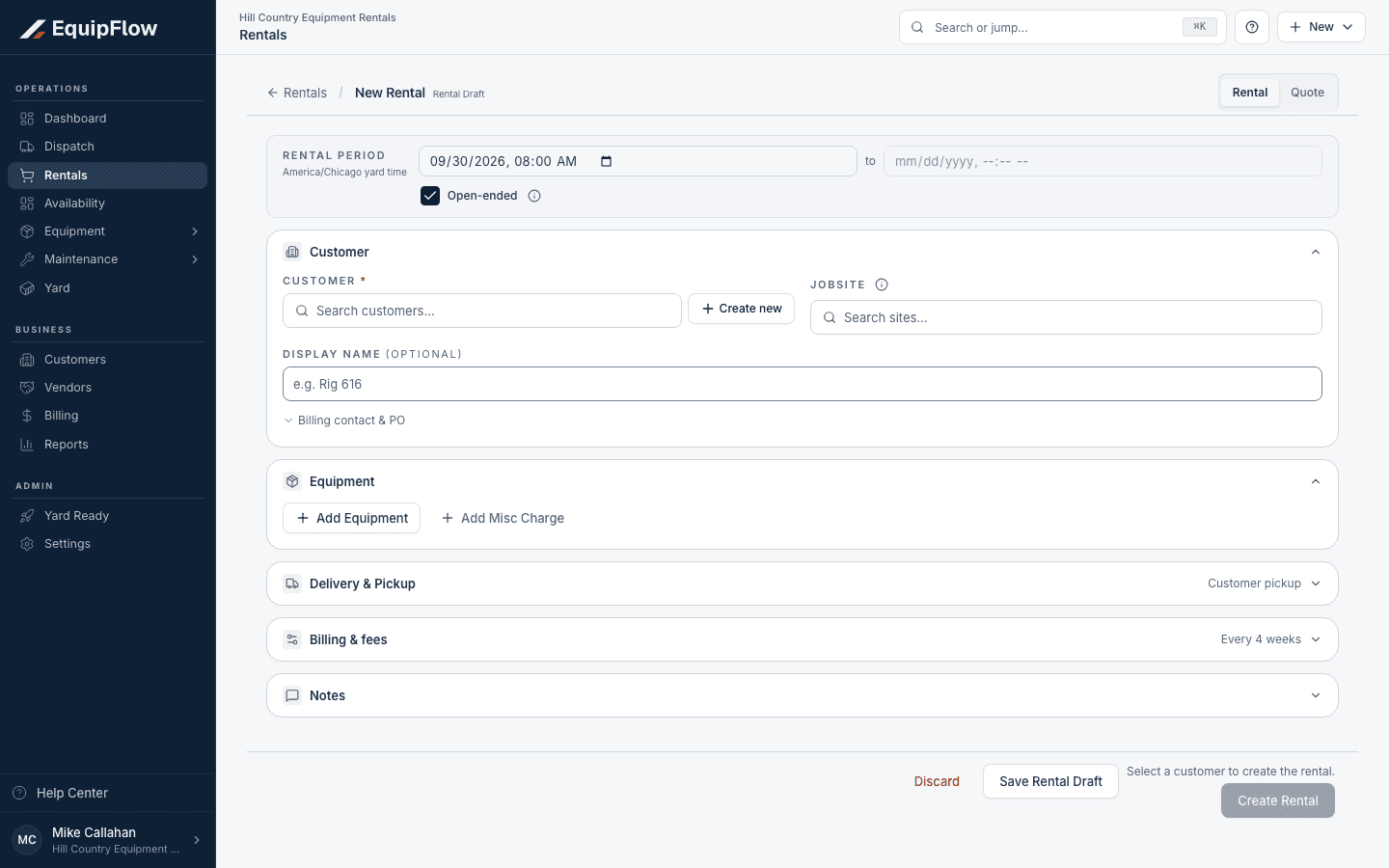
New Rental shows customer, equipment, movement, and billing sections before saving. Synthetic local example.
Open full-size screenshot (new tab)Review terms and warnings
Check assignments, availability, billing terms, fees, insurance and credit warnings. Tax follows the customer exemption, site, assigned unit’s branch, then company default; a missing tax rate must be resolved before invoicing.
Confirm and record handover
Choose Confirm rental when the commercial details are ready. Use a delivery job or Hand over at counter when equipment actually leaves with the customer. Verify the exact equipment and possession time.
warning
Confirmation and assignment do not prove customer possession. Review displayed commercial warnings and use Continue anyway only when the facts support it. Counter release overrides remain limited to Owner or Dispatcher. A billable-before-possession exception is separate from an actual handover.
Common problems and recovery.
The rental is confirmed but nothing is on rent.
Complete the actual delivery or counter handover. Do not create fictional possession to generate an invoice.
Confirmation is blocked.
Resolve the displayed availability, customer, credit, or missing-detail warning. Use an override only if offered to your role and supported by the facts.
Continue in EquipFlow.
Open the product to do the work, or contact support if the saved information does not match what this article describes.
Last reviewed 2026-09-30 against EquipFlow product commit c0ec0c7b7.