
Use Billing with or without QuickBooks and recover sync problems
Published 2026-07-11 · Updated 2026-09-30
Keep local billing moving and use the specific mapping, reconnect, rebuild, correction, or retry action shown for a QuickBooks document.
Before you start.
- Owner connects QuickBooks and changes company-wide accounting mappings.
- Identify the EquipFlow invoice or document and read its current accounting status.
Steps.
Keep billing in EquipFlow
Take me there →Owners and Dispatchers can prepare and approve invoices, send them, and record payments without QuickBooks. Owners can also generate statements. A disconnected integration does not prevent local billing.
Connect and map the intended company
Take me there →An Owner opens Accounting settings, connects the intended QuickBooks company, and completes account, item, tax, and customer mappings. Review the connected company before posting.
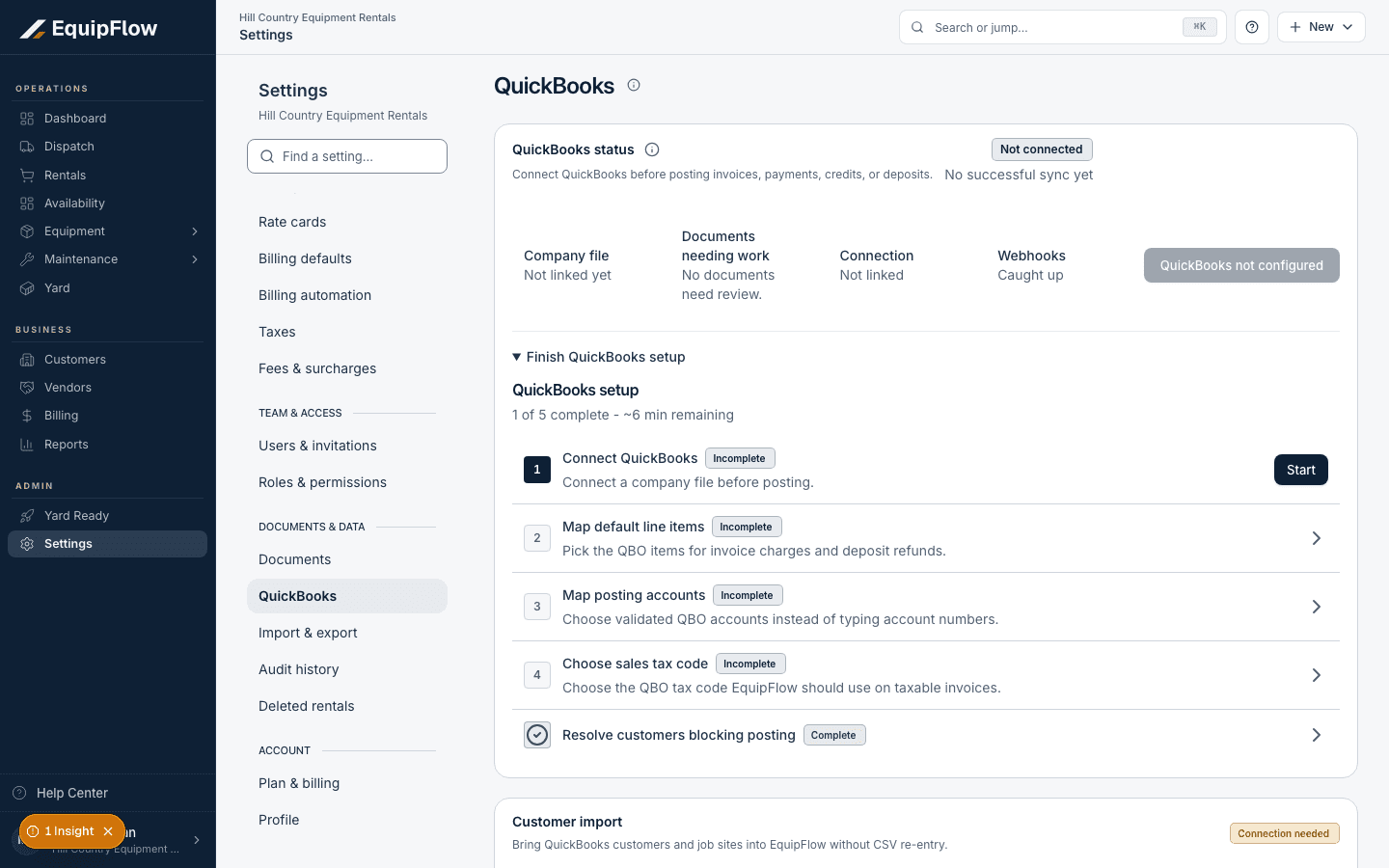
QuickBooks setup requires a company connection, item mapping, accounts, and tax code. Synthetic local example.
Open full-size screenshot (new tab)Follow the displayed recovery
Take me there →Open Billing > Accounting or the invoice’s accounting details. Needs mapping offers Open mapping; Connection expired offers Reconnect QuickBooks. After fixing the cause, return and check the document’s next action.
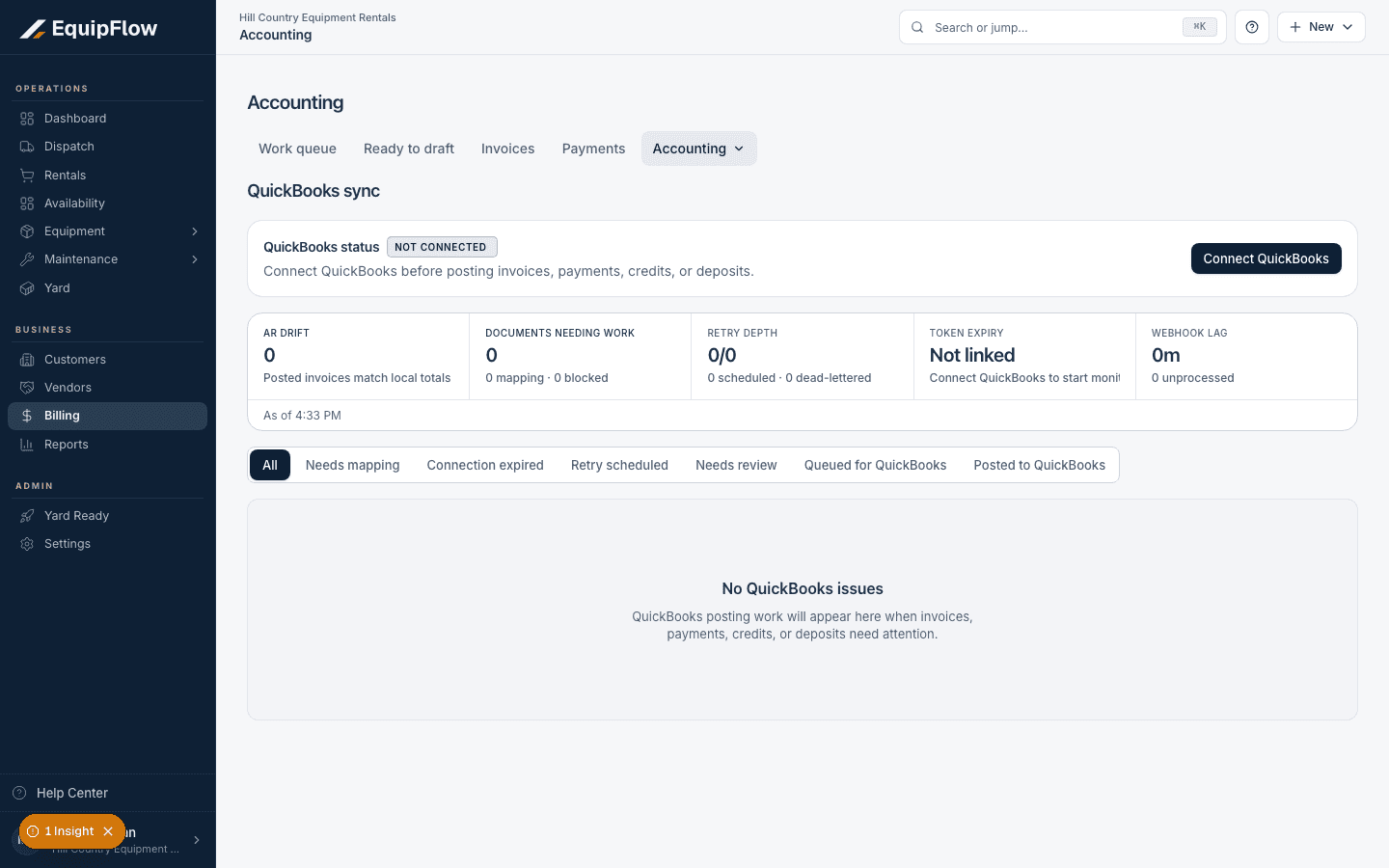
Accounting separates mapping, connection, retry, and review queues. This local example has no connected QuickBooks company. Synthetic local example.
Open full-size screenshot (new tab)Recover the right type of failure
Use Rebuild invoice post for failed enqueue, Queue invoice correction for a required revision, or Issue credit memo when credit-and-rebill is required. Retry posting is offered for retryable posting failures. Queued and Retry scheduled describe pending work; Posted to QuickBooks confirms posting.
warning
A reconnect or retry does not remove existing QuickBooks records. Do not duplicate the EquipFlow invoice or manually recreate a QuickBooks transaction just because posting failed.
Common problems and recovery.
No Retry posting button appears.
Read the reason and use the offered mapping, reconnect, correction, or credit path. Some review states need support rather than a generic retry.
The document remains blocked.
Record the invoice number, document/event identifiers, failure time, and displayed error for support. Do not share tokens or customer-private attachments unnecessarily.
Continue in EquipFlow.
Open the product to do the work, or contact support if the saved information does not match what this article describes.
Last reviewed 2026-09-30 against EquipFlow product commit c0ec0c7b7.