
Issue a credit or fix a sent invoice
Published 2026-11-06 · Updated 2026-11-06
Credit part of an invoice, apply credit to another invoice, correct a sent invoice, or void one that shouldn't exist.
Before you start.
- You need the Owner or Dispatcher role.
- The invoice has been sent or marked sent. A draft is edited or deleted instead.
Steps.
Credit part of an invoice
Open the unpaid or partly paid invoice and choose Issue credit memo from Invoice actions. Use Add line for each credit with a description and amount, and add a reason. Tick Apply to this invoice now to lower the balance right away, then choose Issue credit memo.
Any credit above the balance stays on the customer's account.
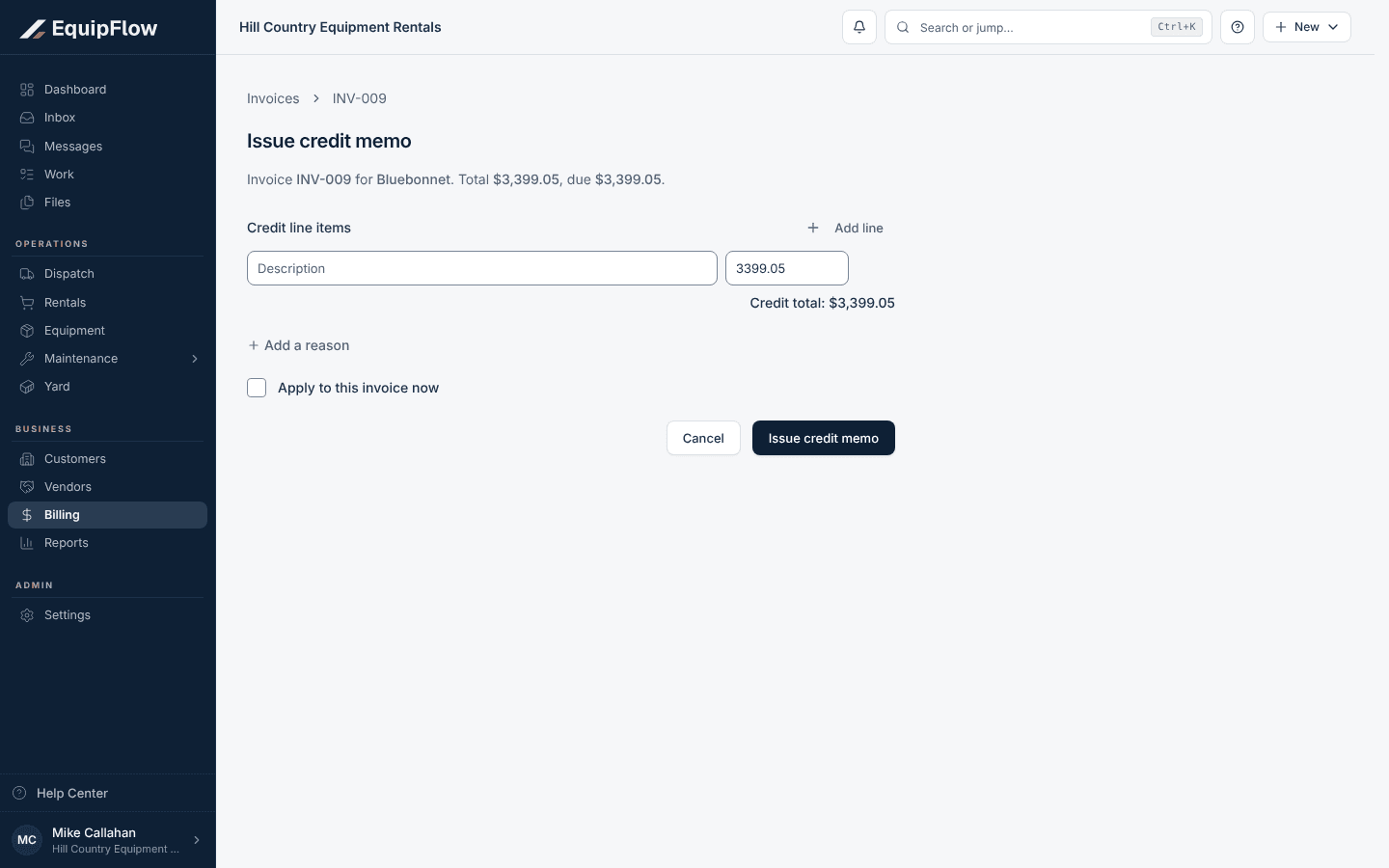
Issue credit memo credits part or all of a sent invoice. Synthetic local example.
Open full-size screenshot (new tab)Apply credit to an invoice
Open the credit memo and choose Apply credit. Pick the Target invoice, enter the Amount to apply, and choose Apply credit. Choose Send credit to email the credit memo to the customer.
Correct a sent invoice
Choose Fix invoice from Invoice actions. A correction draft opens on Edit. Make the changes, then choose Approve and read the summary. Choose Approve correction, or Approve correction and send.
The original invoice and its payments stay on record. If the correction lowers what's owed, EquipFlow issues the difference as credit, which you can apply.
Void an invoice that shouldn't exist
For an invoice with no payments or credits, choose Void invoice from Invoice actions, confirm, and give a reason. For a rental invoice, Re-create from rental on the void invoice then makes a new draft for the same period.
warning
A void invoice can't take payments, and voiding can't be undone. If any money or credit touched the invoice, issue a credit memo instead.
Common problems and recovery.
Void invoice is greyed out with "This invoice has payment, credit, or deposit history. Issue a credit memo instead of voiding it."
Use Issue credit memo or Fix invoice instead. Both keep the payment history intact.
Applying credit says "No eligible open invoices are available for this credit."
The customer has no open invoice right now. Leave the credit on their account and apply it to the next invoice.
Fix invoice says "The original has an active payment request" and asks you to cancel it.
Choose Cancel original payment request, then approve the correction.
Issue credit memo isn't in Invoice actions.
It appears only on unpaid or partly paid invoices. For a paid invoice, use Fix invoice. A lower total becomes customer credit.
Continue in EquipFlow.
Open the product to do the work, or contact support if the saved information does not match what this article describes.
Last reviewed 2026-11-06 against EquipFlow product commit a5b344000.