Oilfield equipment rental software, built inside an oilfield yard.
EquipFlow was designed and first deployed at Rental King — a 24/7 oilfield rental operation in the Permian Basin. Every feature was built against the real dispatch, billing, and inspection workflow of an oilfield yard, not modeled from the outside.
No implementation fee. Running in a week.
Thirty minutes on a call is enough to scope the migration.
The oilfield rental yard runs differently.
The phone rings at 2am because a rig crew needs a light tower on location before dawn. A unit returns from a frac pad in Monahans after six weeks and goes straight into a return inspection before the next call comes in. Three rentals close on a Friday and four new ones go out Monday — all to different sites in Ector, Midland, and Reeves counties, each with different tax jurisdiction.
Most of the yard’s customers are on MSAs with major producers, service companies, or midstream operators. Rate cards are negotiated per equipment class and vary by account. A dispatcher who has to look up the right rate for every rental is a dispatcher making errors.
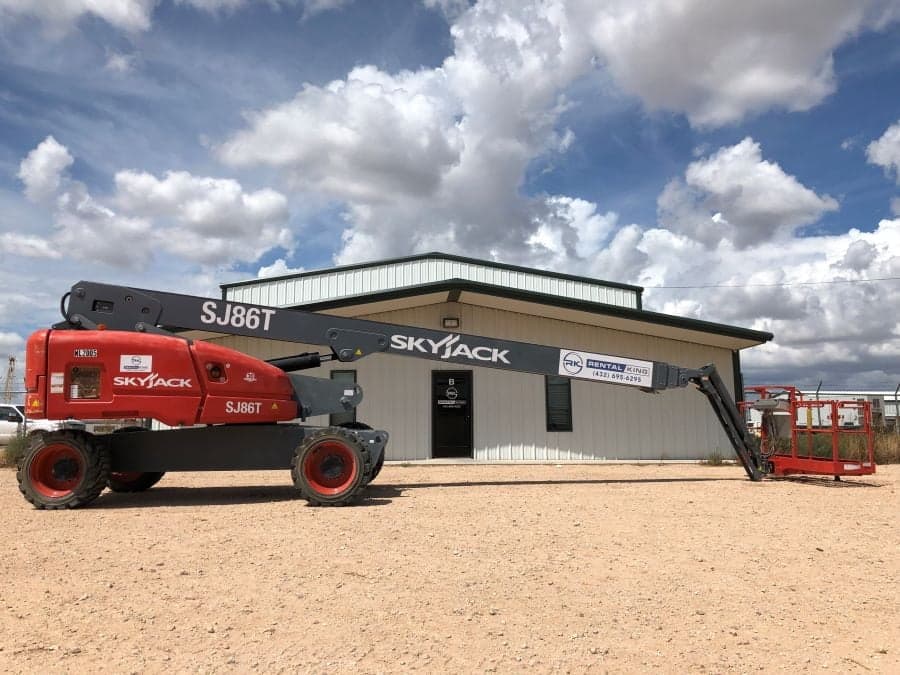
The equipment is heavy and expensive: 45-foot and 60-foot manlifts, telehandlers, light towers, 250kW and 500kW generators, 185 CFM to 900 CFM air compressors, frac tanks, water trucks, mud pumps, oilfield-spec forklifts. A double-booking or a missed standby hour is not a rounding error — it is a real dollar amount on a real invoice.
MSA pricing is the default, not the exception.
In most oilfield yards, the majority of revenue runs through MSA contracts. That means the default rental rate is not the rack rate — it is the MSA rate for that customer on that equipment class.
EquipFlow makes MSA overrides a property on the customer record. Every rental created for that account pulls the right rate automatically. The dispatcher does not need to know the rate sheet. The bookkeeper does not need to rebuild rates at month-end. A new employee creating a rental gets the same rate a ten-year dispatcher would have quoted.
Multi-tier structures — different rates for manlifts, generators, compressors, and forklifts under the same MSA — are supported per equipment class. If a customer renegotiates a rate, you update it once on their record and every future rental reflects it.
24/7 dispatch on one screen.
The dispatch board is a driver-by-hour view of the day. Every driver, every active rental, every unit out on location. Drag to reassign a job when a driver calls out. The board prevents double-bookings the whiteboard could not — if a unit is already out, it cannot go out again.
After-hours dispatch works the same way. The board is a responsive web app — a dispatcher on a phone at 11pm sees the same screen as a dispatcher at a desk at 8am. No separate app, no special login, no waiting until morning to create a rental for an emergency call.
Inspections that survive the field.
Return inspections happen on the driver’s phone before the unit comes off rent. Required checklist items, required photos, condition notes, and a signature — all submitted from the cab or the yard before the rental closes. No app install required; the form is mobile web.
When a customer disputes damage three weeks after a return, the inspection record is on the rental: timestamped photos, completed checklist, driver signature. The dispute stops before it starts.
Maintenance that travels with the unit.
PM intervals, work orders, parts, and meter readings live on the unit record. A 45-foot manlift returning from a six-month rental at a Midland production facility has its service history intact and its next-due PM already queued. The mechanic does not need to ask when the last service was.
Meter readings come back with the return inspection. Hour-based PM intervals update when the reading posts. Units that need service before they go out again are flagged on the dispatch board so they do not get assigned by mistake.
Standby + MSA + tax jurisdiction on the same invoice.
An oilfield invoice often carries three layers of complexity at once: the MSA rate for that customer on that equipment class, the standby rate for the hours the unit sat idle on location, and the correct Texas sales tax jurisdiction for the delivery site.
EquipFlow handles all three on the same invoice. MSA overrides come from the customer record. Standby rates are configurable per equipment class. Tax jurisdiction is set at the delivery site — Ector County, Midland County, Reeves County, or wherever the unit went. The invoice bills correctly the first time. Your bookkeeper reviews it; she does not rebuild it.
QuickBooks Online integration.
Most oilfield yards run QuickBooks Online for accounting. EquipFlow connects directly — invoices post automatically when closed, payments sync back, aging buckets stay current. Month-end reconciliation is a same-day close instead of a same-week project.
Full detail on the QuickBooks integration page.
Built inside Rental King.
Rental King is a family-owned heavy-equipment rental yard in Odessa and Midland, TX — a 24/7 oilfield operation running manlifts, telehandlers, forklifts, light towers, generators, compressors, and water trucks on MSA contracts through the Permian Basin. It is the first yard on EquipFlow, and every feature was tested against their live operation before it shipped.
The full story is on the Rental King case study page.
See the dispatch board built for oilfield ops.
A 30-minute walkthrough covers a live EquipFlow tenant — MSA overrides, standby billing, multi-county tax, the full dispatch board — running on the same product Rental King uses every day.
Pick a 30-minute slot →What you give up.
Honesty matters here. There are things EquipFlow does not do, and oilfield yards should know them before they switch.
No offline mode for cell-dead locations.
EquipFlow is a web app. If a driver is on a pad with no cell signal, the inspection form will not load. We are working on an offline-capable inspection flow, but it does not ship today. If your yard regularly sends drivers to truly dead areas — no cell, no satellite — that is a real gap. Most yards handle this by completing the inspection at the delivery yard on return.
No AS400 or legacy field-ops integrations.
If your major producer customers require data feeds into an AS400 back end or a legacy field-ops system, EquipFlow does not ship those integrations. Data exports cleanly to CSV and connects to QuickBooks Online, but there is no pre-built connector for enterprise back-end systems. Bring that requirement to the demo.
No ESH/SDS form management.
Equipment safety data sheets, lockout/tagout records, and environmental/safety/health documentation live in your safety management system, not in EquipFlow. We track unit-level maintenance and inspections; we do not replace a dedicated safety compliance platform.
Pricing.
One flat monthly fee per yard. Unlimited seats — your dispatcher, bookkeeper, mechanic, and owner are all on the same plan. No per-user billing, no module add-ons, no implementation fee. See pricing.

“If the software breaks, my brother calls. That’s our accountability system.”
What oilfield yards ask before they switch.
“Will it work with our MSA structure — multi-tier rate cards by customer?”
Yes. MSA overrides are a property on the customer record, not a lookup table you maintain separately. You set the negotiated rate per equipment class on the customer, and every rental created for that account applies the right rate automatically. Multi-tier structures — different rates for different equipment classes under the same MSA — are supported. Your dispatcher quotes correctly without knowing the rate sheet.
“We bill standby differently per class — does it handle that?”
Yes. Standby rates are configurable per equipment class. A 250kW generator on standby bills differently than a 45-foot manlift on standby. When the dispatcher marks standby hours, the billing module applies the class-level standby rate. The invoice line items are clear — active hours, standby hours, both at the correct rate.
“Can drivers run inspections on a personal phone with no app install?”
Yes. Return inspections are mobile-web forms — no app install required. The driver gets a link (or scans a QR code on the unit), completes the checklist, attaches required photos, and submits. The inspection is tied to the rental record before the truck leaves the customer site. Required photo fields cannot be skipped.
“We have customers across Ector, Midland, and Reeves counties — does tax jurisdiction work per site?”
Yes. Texas sales tax jurisdiction is set at the delivery site level, not the customer level. A customer operating in both Ector and Midland County gets the right jurisdiction on each invoice based on where the equipment delivered. You do not have to manually adjust tax on invoices going to sites in different counties.
“Can we run 24/7 with phone-based dispatch after hours?”
Yes. The dispatch board is a responsive web app — same screen on a phone or tablet as on a desktop. An after-hours dispatcher can see the full board, create a rental, assign a driver, and close out a return from a phone without any special configuration. There is no separate mobile app to maintain.
“What is the migration like coming from RentalMan or Texada in an oilfield context?”
Both RentalMan and Texada export fleet, customer, and rental data in structured formats we have mapped before. The oilfield-specific complexity — MSA rate tables, multi-county tax setup, standby rate classes — gets configured during the migration scope, not after go-live. Most yards are in a sandbox with real data within three days. See the full switch detail at equipflow.app/switch.
Ready to see what it looks like on your yard?
Bring your fleet count and a rough sense of how many MSA customers you run. Thirty minutes is enough to scope the migration, walk through the dispatch board live, and give you an honest read on whether EquipFlow fits your operation.
Pick a 30-minute slot →